
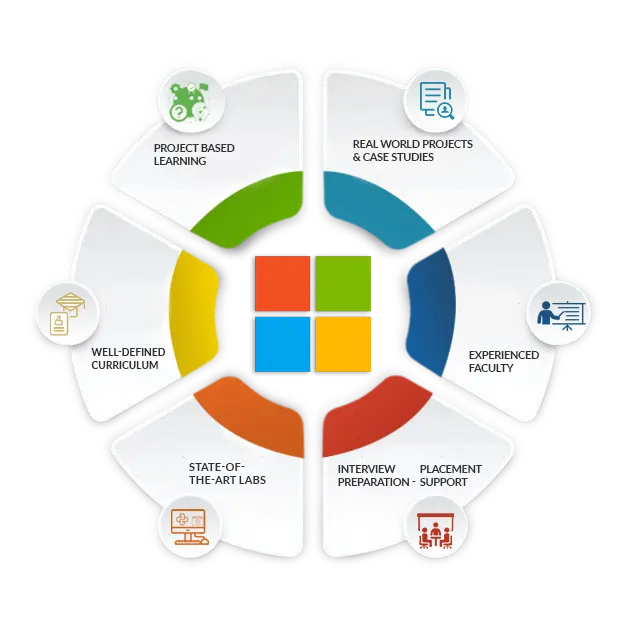

We offer a comprehensive Microsoft 365 Administrator course that builds a strong foundation in managing and securing enterprise-level cloud services using Microsoft 365. This focused 2-month program covers essential concepts and administrative tasks across Microsoft 365 applications and services, including Exchange Online, SharePoint, Teams, OneDrive, and Azure Active Directory. Learners gain practical experience in user management, security configuration, compliance policies, and service integration within the Microsoft 365 ecosystem. Through hands-on labs, guided exercises, and real-world administrative scenarios, participants develop the skills to efficiently manage a modern cloud workplace and prepare for the Microsoft Certified: 365 Administrator Associate exam. Based in Trivandrum, Trinity Technologies is Kerala’s leading IT training institute, known for delivering high-quality, job-ready Microsoft training that empowers learners to succeed in the evolving cloud-driven IT industry.
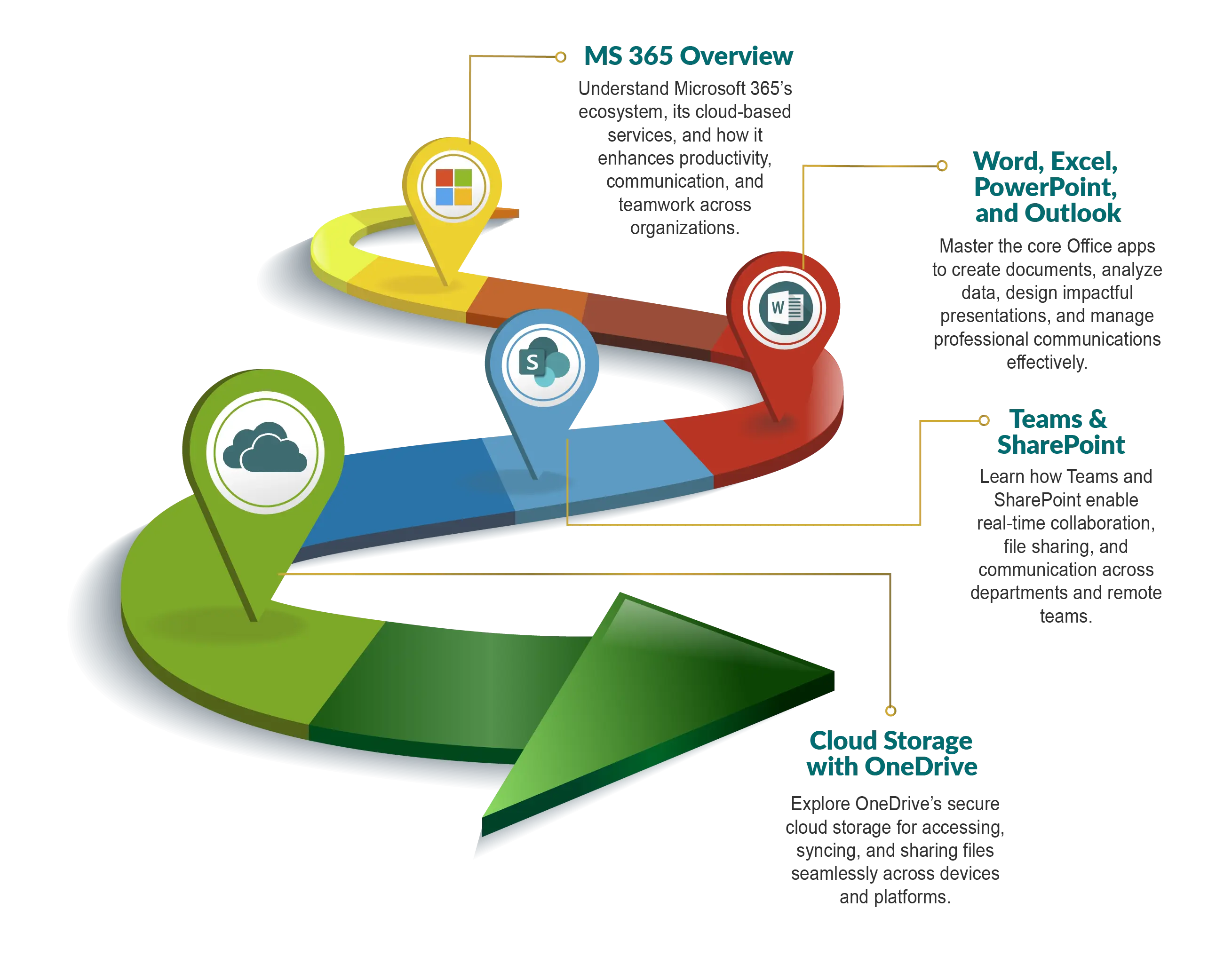
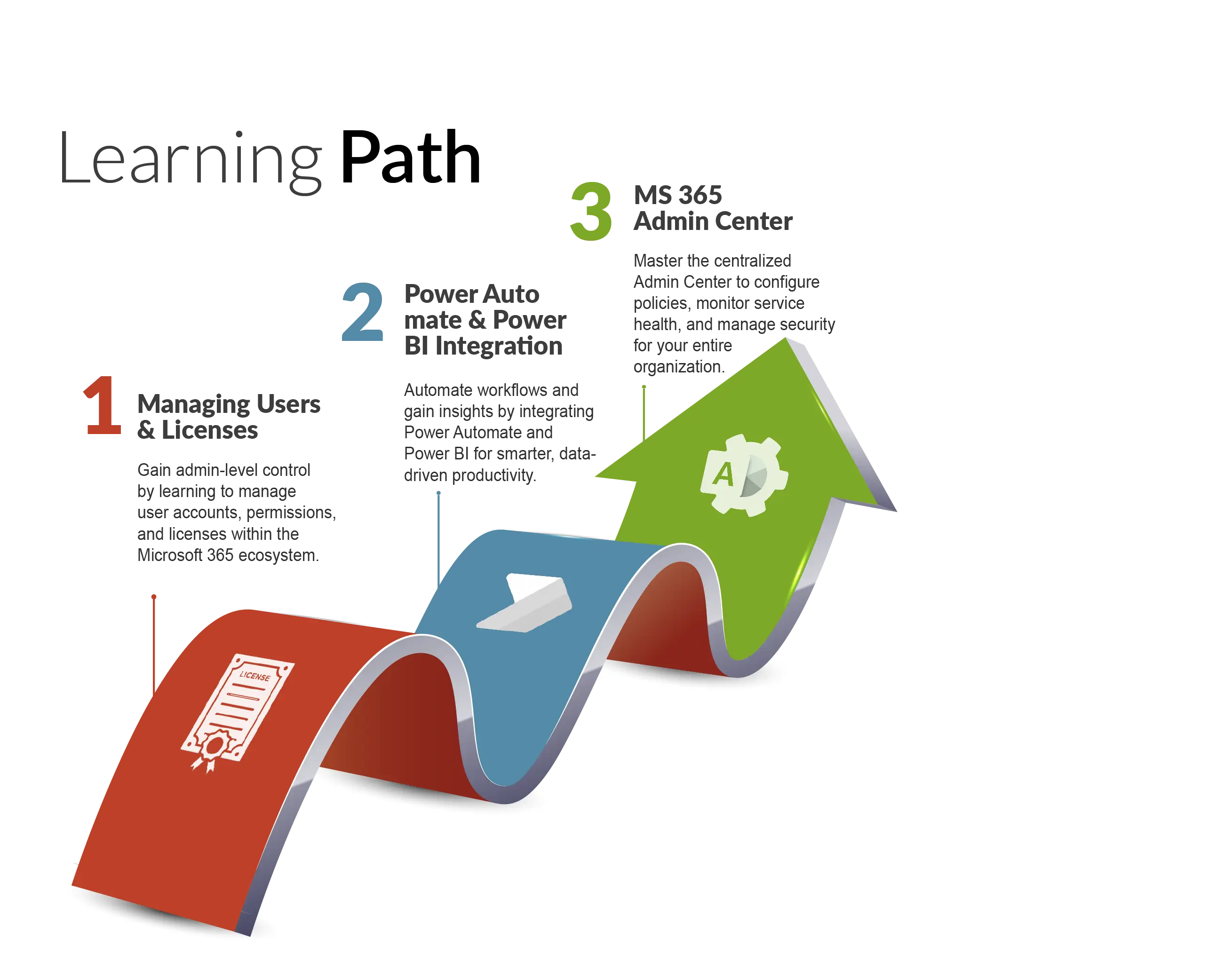
01
Understanding the Microsoft 365 and Azure Environment
A Foundation for Microsoft ADDS (Active Directory Domain Services)
A Foundation of Remote Access, DMZ, and Virtualization
A Foundation of the Microsoft General Cloud Services
Azure AD is being renamed
IMPORTANT: Using Assignments in the Course
Questions for John Christopher
02
Order of Concepts Covered in the Course
The First to Know about Microsoft Cloud Services
Introduction to Practicing Hands-On
Downloading Windows Server 2022 ISO
Getting Hyper-V Installed on Windows
Creating a Virtual Switch in Hyper-V
Installing a Windows Server 2022 Virtual Machine
03
Downloading the Windows 11 ISO
Installing a Windows 11 Virtual Machine
Disable Large Send Offload Version 2
Use an Internet Unique Domain Name
Deploy and Manage Domain Controllers On-Premises
Joining Windows 11 to a Domain
DONT SKIP: Before Beginning Your Account Setup
04
Creating a Trial Microsoft 365/Azure Account
Create a Tenant
Implement and Manage Domains
Configure Organizational Settings (Security, Privacy, and Profile)
Monitor Health of Microsoft 365 Services using Service Health
Configure and Review Network Connectivity Insights
05
Configure and Monitor Software Updates using Admin Center
Monitor Microsoft 365 Adoption and Usage
Configure and Manage Microsoft 365 Backup
SIMULATION: Submit a Service Health Issue Request
Redoing Simulations in the Course
Concepts of Identities in Azure/Microsoft 365/Entra ID
Create and Manage Users in Microsoft Entra
06
Create and Manage External Users
Create and Manage Contacts in Microsoft 365 Admin Center
Concepts of Groups in Azure/Microsoft 365/Entra ID
Create and Manage Groups (Microsoft 365 Groups, Shared Mailboxes)
Manage Groups using Azure Portal
Manage and Monitor Microsoft 365 Licenses (Group-Based Licensing)
Perform Bulk User Management
07
Foundational Hands-On Experience with PowerShell
Concepts of Using Microsoft Graph with PowerShell
Setup for Connecting to Microsoft Graph
Manage Users, Groups, and Bulk Operations with PowerShell
SIMULATION: Create User
SIMULATION: Create Private Group
Concepts of Roles in Microsoft 365 and Entra
08
Implement and Manage Roles in Microsoft Entra
Manage Role Groups in Defender XDR, Purview, and Microsoft 365
Concepts of Delegation by Administrative Units
Manage Delegation using Administrative Units
Understanding Privileged Identity Management (PIM)
Manage Entra Roles in PIM
09
SIMULATION: Create Restricted AU
SIMULATION: Make Adam Young Eligible for User Admin Role
Concepts of Entra Connect Sync vs Cloud Sync
Drawing Out Sync Architecture
Prepare for Identity Synchronization
Implement and Manage Directory Sync (Entra Connect)
Implement and Manage Directory Sync (Entra Cloud Sync)
10
Monitor Sync using Entra Connect Health
Troubleshoot Sync (Connect/Cloud Sync)
SIMULATION: View Alert Error in Entra Connect Health
Implement and Manage Authentication Methods
Implement and Manage Self-Service Password Reset (SSPR)
Implement and Manage Password Protection
Investigate Authentication Issues
11
SIMULATION: Enable SSPR for All Users
Plan for Identity Protection
Implement Microsoft Entra ID Protection
Plan Conditional Access Policies
Implement Conditional Access Policies
Concepts of Multi-Factor Authentication (MFA)
12
Implement MFA using Conditional Access
SIMULATION: Configure Entra ID Protection (User Risk Medium)
SIMULATION: Create Conditional Access Policy (Android Block)
SIMULATION: Enable QR Code and Require MFA
Review and Improve Microsoft Secure Score
Review and Respond to Security Incidents in Microsoft Defender
Review and Respond to Compliance Reports
13
Review Threat Analytics
SIMULATION: Locate the Newest Alert in Defender
Understanding Defender for Office 365
Implement Policies and Rules
Review and Respond to Threats
Create and Run Attack Simulations
Unblock Users
14
SIMULATION: Create Safe Attachment Policy
SIMULATION: Setup Attack Simulation for Developers
Understanding Defender for Endpoint
Onboard Devices
Configure Defender Settings
Review and Respond to Endpoint Vulnerabilities
SIMULATION: Create Endpoint Device Group
15
Understanding App Connections with Defender for Cloud Apps
Configure Alerts, Policies, and Cloud App Discovery
Understanding Sensitive Information Requirements
Implement and Manage Sensitive Info Types
Understanding Sensitivity Labels
Implement Sensitivity Labels for Items and Containers
16
Configure Protection and Marking Settings
Implement Sensitivity Label Policies
Implement Auto-Labeling Policies
Labels for Teams, SharePoint, and Containers
Manual Labeling using Word
Understanding Retention and Disposition
Retention Labels, Policies, and Scopes
17
Implement Adaptive Scopes
Implement Retention Labels
Publish Retention Label Policies
Auto-Apply Retention Labels
Configure Retention Policies
Monitor Label Usage and Reports
SIMULATION: Create Sensitive Info Type (Credit Cards)
18
SIMULATION: Create Top-Secret Sensitivity Label
SIMULATION: Create 3-Year Retention Label
Concepts of Data Loss Prevention
Configure DLP for Exchange, SharePoint, OneDrive, and Teams
Configure DLP for Adaptive Protection
Policy and Rule Precedence in DLP
Device Requirements for Endpoint DLP
19
Configure Endpoint DLP
Review and Respond to DLP Alerts and Reports
SIMULATION: Create a US Financial DLP Policy
How Udemy Role Plays Work
Meeting with IT Director: Choosing Hybrid Solution
Meeting with Co-Administrator: DLP Strategy
Trinity Technologies, located in Trivandrum, offers a comprehensive Microsoft 365 Administrator training and certification program designed to help learners master cloud-based productivity and collaboration solutions using Microsoft 365. Suitable for both beginners and IT professionals, this program provides hands-on, instructor-led training covering core Microsoft 365 services, administration principles, security, compliance, and best practices for user and license management. By the end of the course, participants are well-prepared to pass the Microsoft Certified: 365 Administrator Associate exam and confidently pursue career opportunities in cloud administration, making Trinity Technologies a trusted destination for quality Microsoft 365 training in Kerala.
Trinity Technologies is recognized as a leader in IT training in Trivandrum, offering a comprehensive Microsoft 365 certification program aligned with industry standards. With a strong focus on practical learning, Trinity ensures that students gain not only theoretical knowledge but also hands-on experience managing Microsoft 365 services and solutions.
Trinity Technologies provides training led by instructors with extensive experience in Microsoft 365 administration. Learners gain practical skills in managing users, groups, security, and compliance, while understanding the underlying cloud architecture and governance policies. This combination of theory and practice ensures participants are fully equipped to earn certification and succeed in enterprise cloud environments.
Trinity Technologies features modern training labs with access to the latest Microsoft 365 tools and technologies. Students practice in real-world scenarios, working with Exchange Online, Teams, SharePoint, OneDrive, and Azure Active Directory to gain hands-on experience that mirrors professional environments.
The Microsoft 365 Administrator certification program at Trinity Technologies follows a detailed curriculum aligned with the official exam objectives. Key learning areas include:
Microsoft 365 Fundamentals: Overview of Microsoft 365 services, cloud concepts, and architecture.
User and Group Management: Creating and managing users, groups, and licenses effectively.
Security and Compliance: Configuring identity, access management, security policies, and compliance solutions.
Collaboration and Productivity: Administering Teams, SharePoint, and OneDrive for seamless collaboration.
Monitoring and Troubleshooting: Using Microsoft 365 admin tools to track, troubleshoot, and optimize services.
Service Integration and Governance: Managing integrations, policies, and governance to ensure secure and efficient cloud operations.
Trinity Technologies emphasizes learning by doing, offering labs and practical exercises that simulate real enterprise environments. Students gain confidence in deploying, managing, and securing Microsoft 365 solutions across multiple services.
To ensure thorough preparation, Trinity conducts assessments and full-length mock exams. These evaluations mirror the official Microsoft exam format, helping students identify knowledge gaps, reinforce learning, and approach the certification with confidence.
Trinity Technologies provides dedicated career support including resume building, interview preparation, and job placement assistance. With strong industry connections, Trinity helps learners transition into roles such as Microsoft 365 Administrator, Cloud Administrator, or IT Support Specialist.
The Microsoft 365 Administrator certification is a globally recognized credential validating your expertise in managing enterprise cloud productivity solutions. It’s ideal for IT professionals looking to advance their careers in cloud administration. Key benefits include:
Industry Recognition: Demonstrates your proficiency in Microsoft 365, a leading enterprise cloud platform.
Career Advancement: Opens opportunities in roles such as Microsoft 365 Administrator, Cloud Administrator, or IT Support Specialist.
Comprehensive Skillset: Builds strong knowledge of cloud services, security, compliance, collaboration tools, and governance.
Global Opportunities: Microsoft 365 skills are in demand worldwide across industries adopting cloud productivity solutions.
Enrolling in the Microsoft 365 Administrator course at Trinity Technologies, Trivandrum’s top IT training institute, is the first step toward a rewarding cloud administration career. With expert instructors, interactive labs, and personalized guidance, Trinity equips learners to achieve certification and excel in managing enterprise cloud environments.
What is Microsoft 365 Administrator Certification?
The Microsoft 365 Administrator certification (Microsoft Certified: 365 Administrator Associate) validates your skills in managing Microsoft 365 services, including Exchange Online, Teams, SharePoint, OneDrive, and Azure Active Directory. It demonstrates your ability to manage users, security, compliance, and collaboration tools in enterprise cloud environments.
Why Choose Microsoft 365 Administrator Training in Trivandrum?
Growing IT Hub: Trivandrum is a rapidly expanding technology hub with increasing demand for cloud and Microsoft 365 professionals.
Expert Training at Trinity Technologies: Trinity is one of Kerala’s leading institutes offering specialized Microsoft 365 Administrator courses.
Certified Instructors: Learn from Microsoft-certified trainers with real-world experience in managing enterprise cloud services.
Career-Focused Learning: The program prepares you for certification and opens pathways to roles in cloud administration and IT infrastructure management.
What Are the Prerequisites for Microsoft 365 Administrator Training?
There are no strict prerequisites, but familiarity with basic IT concepts, networking, and cloud services is helpful. Trinity Technologies also offers introductory guidance to help beginners gain confidence before tackling Microsoft 365 administration tasks.
What Topics Are Covered in the Microsoft 365 Administrator Course?
The course covers all essential areas required for certification, including:
How Long Does the Microsoft 365 Administrator Course Take?
The Microsoft 365 Administrator course at Trinity Technologies typically spans 2 months, combining instructor-led classes, practical labs, and mock exams to ensure learners are fully prepared for certification.
What Is the Format of the Microsoft 365 Administrator Exam?
The Microsoft 365 Administrator exam includes multiple-choice questions, scenario-based tasks, and practical simulations. It assesses your ability to manage Microsoft 365 services, security, compliance, and collaboration solutions effectively.
What Are the Job Opportunities After Certification?
Certification opens up roles such as:
Trinity Technologies
Radheyam Tower
Gandhari Amman Kovil Road
Opp. Rajakumari Jewelry, Pulimood
Trivandrum, Kerala, 695001
Phone Numbers:
Email:
Monday - Saturday: 7:00 AM - 8:00 PM
Sunday: Closed
Batch Timings Available:
Morning | Afternoon | Evening